
Automatic time blocking
Finds the best time for each task using priorities, deadlines, meetings and your working pattern.
An Outlook desktop add-in for people with too much on
You’re juggling more work than fits in a week. MyPA plans all of it into the Outlook calendar you already live in — around your meetings, in priority order, reshuffled when the day falls apart — and makes the email, tasks and meetings around it quicker to deal with. It builds on Outlook, so there’s nothing to move and nothing to leave.
▣Installs into Outlook classic on Windows. Not a web app — it works where you already do.
Version 1.2.207.0 What’s new →Try MyPA free for 45 days. No credit card required. System requirements
The problem
Too many plates.Fifteen live pieces of work, all with different deadlines, none of them in one place. Something is going to slip, and you won’t know which until it has.
The calendar fills with everyone else’s priorities.Meetings land, the day gets carved up, and your own work goes in the gaps — if there are any left.
The important work isn’t the loud work.The strategic piece slides another week, because nothing ever forced it into the diary.
You’ve tried task apps.They gave you a longer list, not more time. The list still doesn’t tell you when any of it is actually going to happen.
Finds the best time for each task using priorities, deadlines, meetings and your working pattern.
Smart Sweep clears the inbox and turns what needs you into planned work. Read, write and file the rest in the same place.
Outlook tasks, Microsoft To Do, another task manager that syncs to Outlook, or MyPA’s kanban-style Task Board.
When the day changes, your plan adjusts — no rebuilding it by hand.
A person’s tasks, appointments and email on one screen — and a way back out to any of them.
See where the hours actually went, tracked against the work you planned.
Everything MyPA does is ordinary Outlook mail, calendar and tasks. Switch to Outlook’s own views whenever you like.
Processed on your computer, through Outlook. Your mail and calendar never reach us or any third party.
Not another task manager
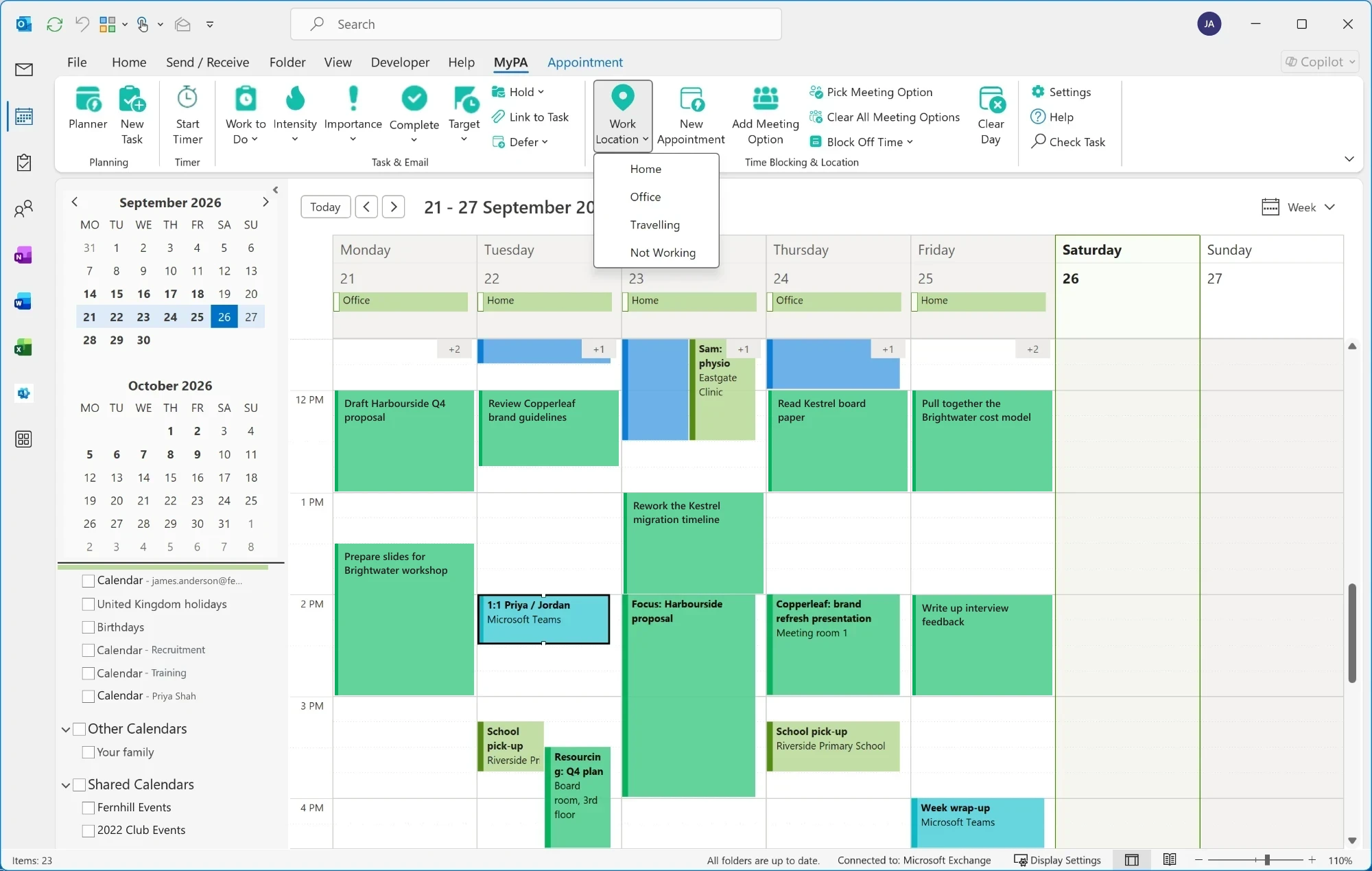
Most task apps give you a list. MyPA works out when you’re actually going to do the work — and puts it directly into your Outlook calendar.
That’s time blocking, and MyPA does it for you — rather than leaving you to drag tasks into gaps by hand every morning.
Protects the work that isn’t shouting. Urgent work tends to get done. The strategic piece, the thinking time, the thing due in three weeks — MyPA gives those real slots in your diary, so they stop sliding to next week.
 MyPAIntelligent planning
Same Outlook. A more productive you.
Your tasks, your tools
MyPA doesn’t ask you to move your work into yet another app. It plans whatever tasks it can see, wherever you prefer to keep them.
Prefer to see everything at a glance? The Task Board presents your work as a kanban-style board — move cards between columns as work progresses, and MyPA plans it into your day from there.
Each card also shows whether there’s enough time in your calendar to get it done by its date — so you see the squeeze coming while there’s still time to act on it.
Everything about a card is a click away: its target date, how long is left, the emails and people behind it, and a timer to track the work. Add a task in a sentence, mark it done and record the time it took, or say when you’ll pick it up again — all without leaving the board.

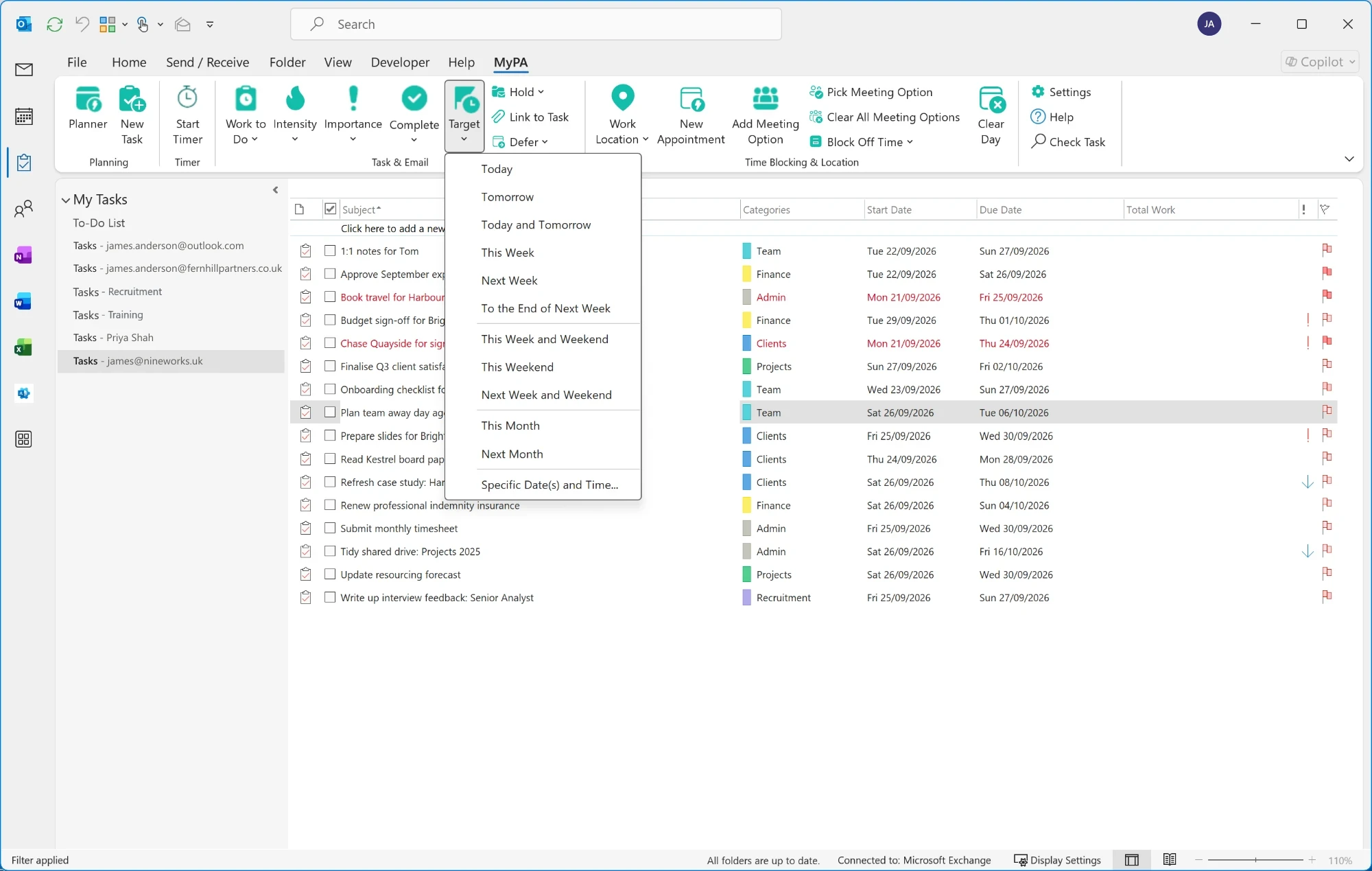
Move it. MyPA plans it.
Mail Room with Smart Sweep
Smart Sweep goes through your Inbox — even years of it — and suggests what each message deserves, learning from what you’ve already archived and sent. Noise gets filed or deleted. Anything that needs you becomes work: a task of its own, or attached to one you’re already tracking, with real time set aside for it in the calendar. Used properly, it gets you to Inbox Zero and keeps you there.
Around it, the Mail Room handles the rest of your email: find anything as you type, read in a clean view, answer meeting invitations where you read them, and write in a modern composer that makes adding attachments, emails and links faster.

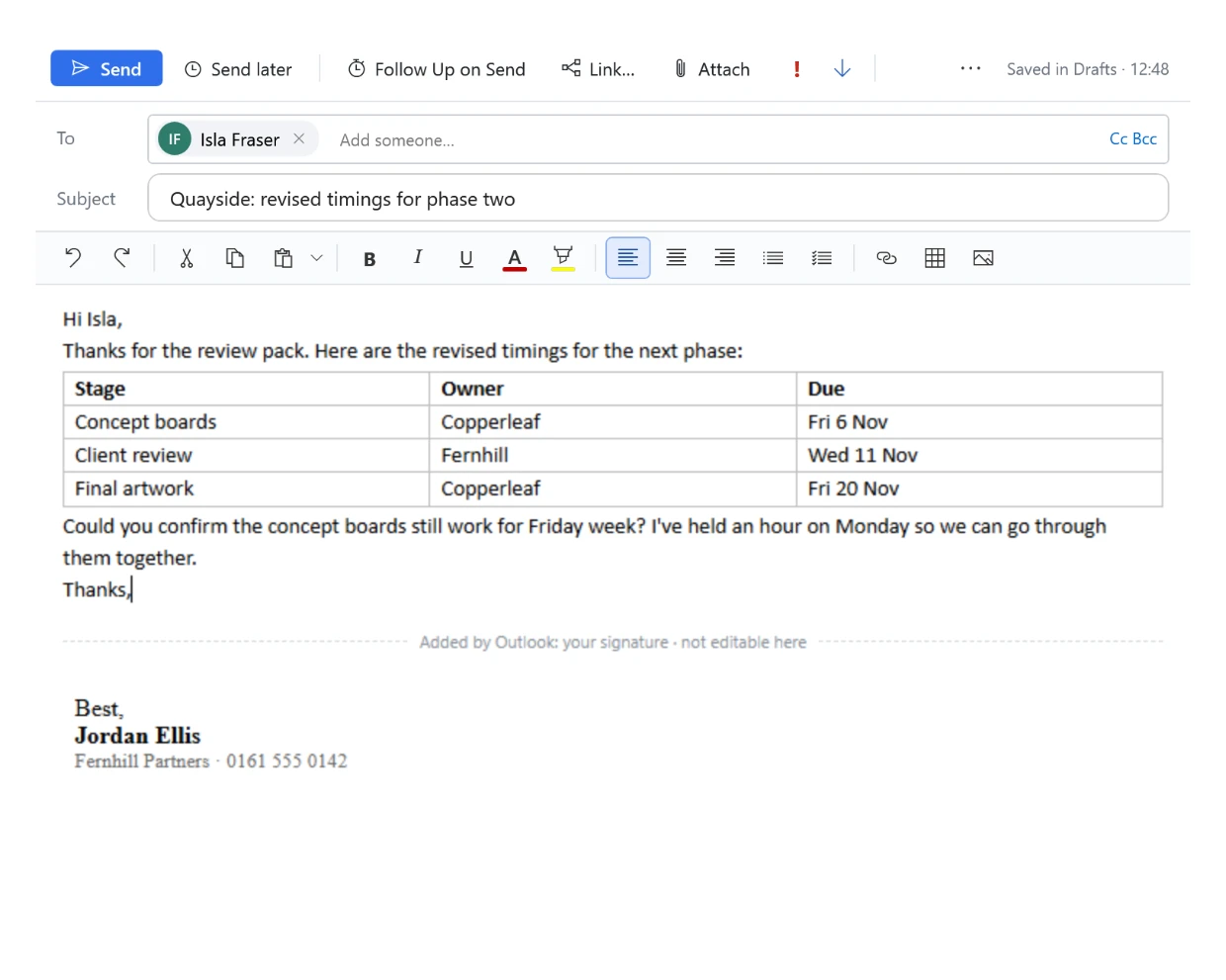
Every message gets an answer.
Contact Book
A great deal of what you have to do is attached to somebody. The proposal is for a client. The follow-up is with a colleague. The thing you’ve forgotten is a promise you made to someone three weeks ago.
The Contact Book puts a person and everything attached to them on one screen — their tasks, their appointments, their email — and shows how those things connect. Outlook holds all of it already, but seeing it together means a search here, a different view there, and a lot of clicking between windows. If you’ve never really bothered with Outlook’s contacts, this is the feature that changes that.

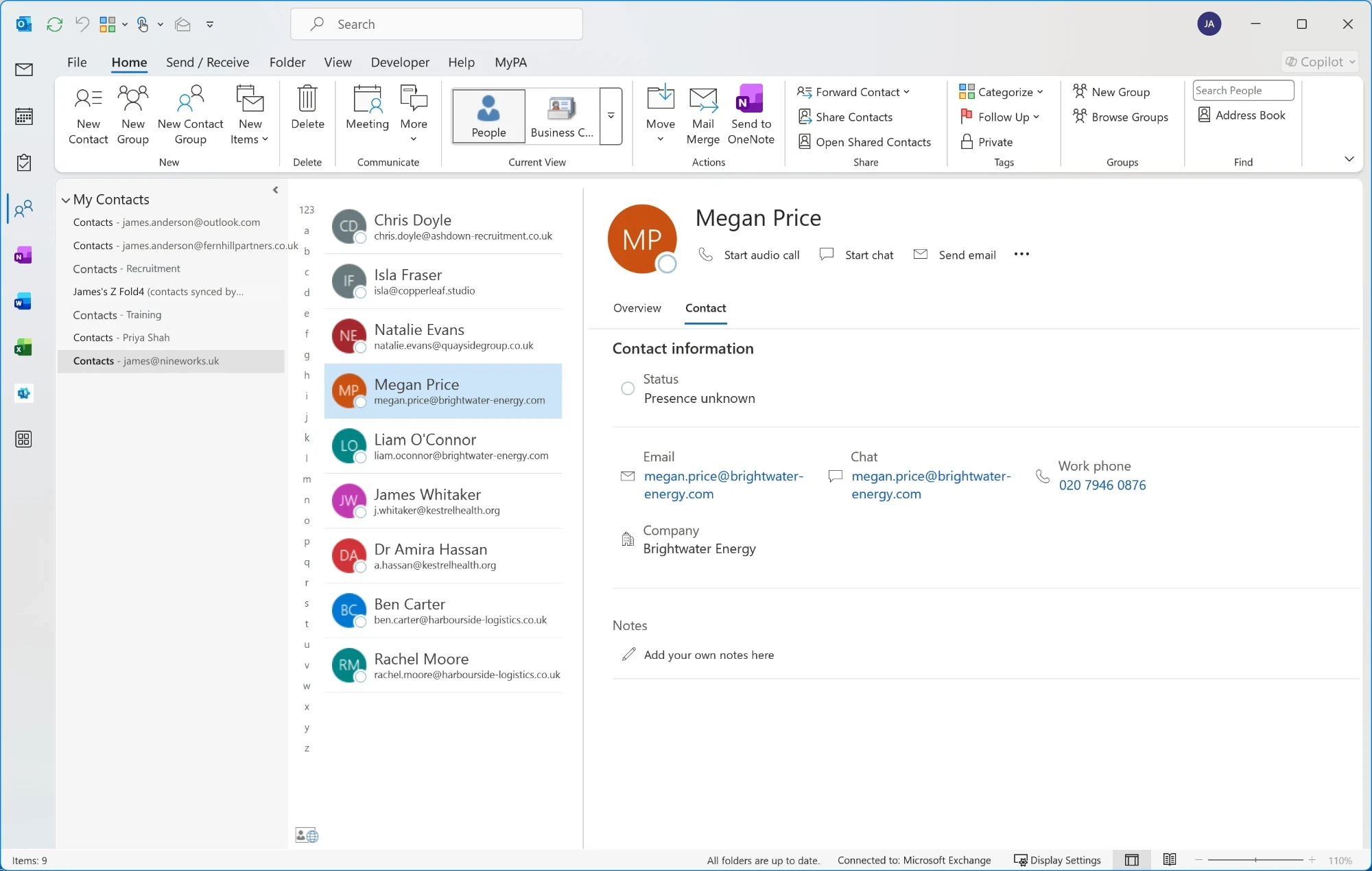
See how it all joins up.
Time Log
Planning the day is only half the story. MyPA also makes it easy to track how long things really took, so the week stops being a blur.
Start the timer on a task and MyPA tracks it against that piece of work: how long you’ve spent, and how much of your estimate is left — which feeds straight back into replanning, because a job that has run over needs more of tomorrow. Stop when you stop, and the time is recorded.
The Time Log keeps the whole day, timed work and everything else alongside it. Nothing is locked: if you forgot to start a timer, or the timer ran while you were doing something else, you correct the entry and the day adds up properly again.

Including the gaps you would rather not think about.
Built into Outlook

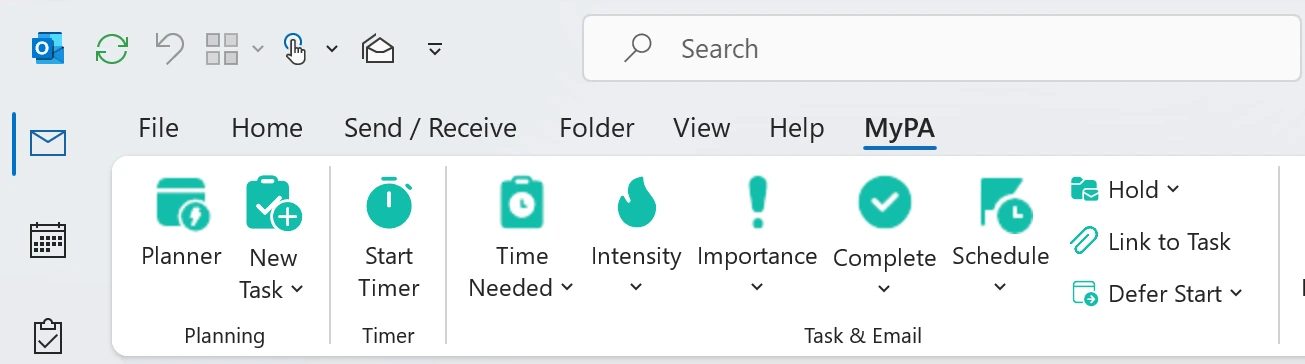
The MyPA Planner puts your day in one window — the plan, your mail, your tasks and the people behind them — so you can work most of it from there. Or stay in Outlook and reach for MyPA from the ribbon. Move between the two as often as you like: MyPA isn’t a separate copy of your mail and calendar, it works on Outlook’s own. An email you write in MyPA is in your Drafts, a planned block is an ordinary appointment, and a task is an Outlook task.
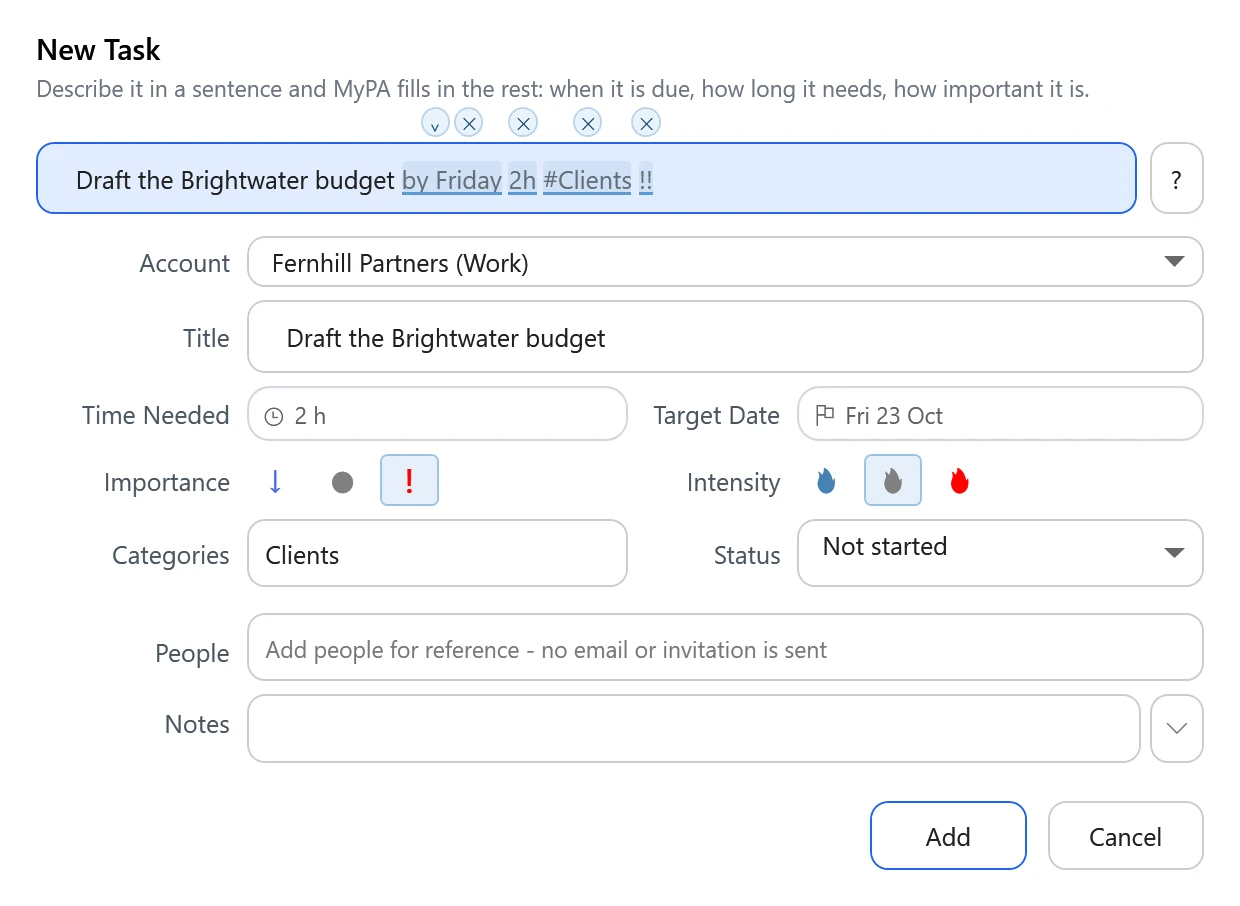
Everyday Outlook, quicker. Every screen is built to save you steps. Describe a task in a sentence and the dates, time needed and importance fill themselves in. Turn an email into a task with its date already suggested. Invite people to a meeting and Auto Pick finds a time they can all make, with a room. Link an email to the task or meeting it belongs to before you send it.
MyPA is an add-in for Outlook classic on Windows. The newer “New Outlook” and Outlook on the web aren’t supported.

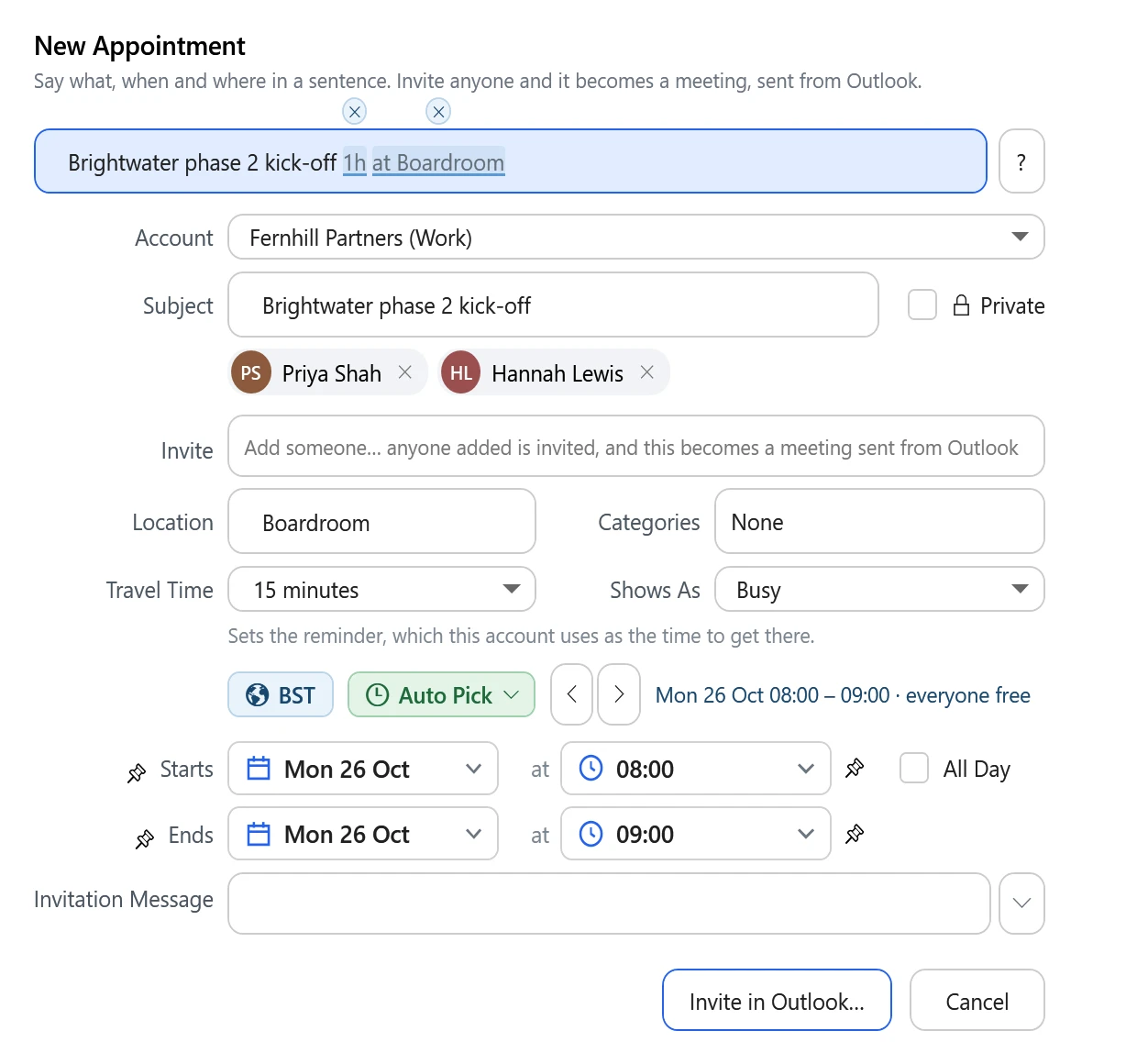
The Planner window.
Worth knowing
MyPA isn’t a service that takes your data away and processes it somewhere else. All the processing happens on your computer, and MyPA writes its results to Outlook, which syncs them with your email service in the normal way. Your mail, calendar and tasks are never sent to us or to any other third party. The detail is in the privacy policy.
MyPA installs into Outlook classic on your desktop and works entirely through it. The Planner window can carry most of your day, but nothing makes you live in it — switch to Outlook’s own views and back whenever you like, the ribbon commands work from your normal Outlook views, and there’s no separate MyPA account. It works with Microsoft 365, Exchange, Outlook.com and POP accounts, and can plan around a personal calendar you subscribe to alongside your work one. IMAP accounts, such as Gmail, aren’t supported yet.
MyPA costs £25 — a one-off purchase, not a subscription. Nothing renews and nothing is billed automatically. You buy from inside the app when the trial ends, and payment is handled by Stripe. Future major versions may be offered as an optional paid upgrade, but you’re never charged without choosing to be.
Everything you like about Outlook, with planning and quicker workflows built on top.
 No credit card required.
Questions
Time blocking means giving each piece of work a specific slot in your calendar, instead of leaving it on a list and hoping. It works, but doing it by hand is a chore — you have to redo it every time the day shifts. MyPA does the blocking for you: it reads your tasks, looks at the shape of your day, and schedules the work into real time in your Outlook calendar. When the day changes, it reshuffles.
A time management tool. A task manager keeps the list; MyPA decides when each thing on the list actually happens and puts it in your calendar. It works with whatever task manager you already use, and includes a Task Board if you want one.
Its core purpose is planning: deciding when work should happen and placing it into your Outlook calendar. It does include a Task Board — a kanban-style view for seeing and managing your tasks — for people who want one. If you already have a task manager you like, keep it.
Most of it. In MyPA’s Planner you can read, write, search and file your mail, answer meeting invitations, plan and track your tasks, book meetings and see everything about a person — with your work time-blocked into the calendar automatically. What it leaves to Outlook are the things you set up once and rarely touch: mail rules, account settings and folder housekeeping. And because MyPA works through Outlook, you can switch to Outlook’s own views at any moment and find everything exactly where you left it.
Yes. MyPA is an add-in for Outlook classic on Windows, not a separate mail app. Your mail, calendar, tasks and contacts stay in Outlook and your email service: an email you write in MyPA is in your Outlook Drafts, a planned block is an ordinary calendar appointment, and a task is an Outlook task. Use MyPA’s Planner, Outlook’s own views, or both, as suits the moment.
MyPA is an add-in — some people call it a plugin — for Outlook classic on Windows, the traditional desktop application. The newer “New Outlook” and Outlook on the web aren’t supported, because they don’t allow the kind of integration MyPA relies on.
Microsoft 365, Exchange and Outlook.com accounts, and POP accounts. All of MyPA’s interaction happens through Outlook, so there’s no separate MyPA account to create. IMAP accounts — which is usually how Gmail connects to Outlook — aren’t supported yet. If you’d like IMAP support, email sales@nineworks.uk: we’re keeping track of requests, and if there’s enough demand we may add it.
Yes. MyPA works across multiple calendars. Subscribe to your personal calendar from your work account in Outlook, using its ICS link, and MyPA treats those appointments as busy time — so it won’t plan work over the school run or a dentist’s appointment.
No. MyPA runs on your computer and works with your data through Outlook, on your device. We operate no service that receives your mail, calendar or task content, and MyPA doesn’t send it to any other third party. MyPA writes its results to Outlook, which syncs them with your email service in the normal way. See the privacy policy for the detail.
No. MyPA is a one-off £25 purchase. Nothing renews, nothing is billed automatically, and we don’t keep your card on file. Future major versions may be offered as a separate optional upgrade.
Yes. If your tasks reach Outlook or Exchange — as they do with Microsoft To Do and with many other task managers — MyPA can plan them. You don’t have to change how you capture work.
It puts one person’s tasks, appointments and email together in a single view, and lets you move between them. Outlook holds all of that, but reaching it means switching views and running separate searches. The Contact Book is also joined up with the rest of MyPA, so you can go from a contact to the Task Board, or from a task to the people attached to it.
Start a timer on a task and MyPA records the time against it, showing what you’ve spent and what’s left of the estimate. The Time Log then holds the whole day, which you can correct where a timer was missed or left running — useful for timesheets, billing, or simply understanding where the week went.
Because planned work is represented in your Outlook calendar, it follows the normal Outlook calendar sync to your other devices — including phones and tablets, even though the MyPA add-in itself runs on Windows.
MyPA keeps to your home working hours, which you set once in Settings. Change time zone and the work already planned stays at the same moments in your calendar — nothing is rewritten — and every time on screen is local. A meeting set in another time zone shows its own time too, in brackets: 10:00–11:00 (15:00–16:00 BST).
Download and install MyPA and you can use the full product for 45 days without entering card details. The full trial terms are set out in our Terms & Conditions.
£25. That is a one-off purchase, not a subscription — nothing renews and nothing is billed automatically. Try it free for 45 days first; you only pay if you decide to keep it. When you’re ready, you buy from inside MyPA itself — there’s no checkout on this website. Payment is processed by Stripe, so any card Stripe accepts will work.